Get started with Nordcraft
Nordcraft is a website builder combined with a powerful AI agent giving you complete creative control to craft exceptional user experiences, and the speed of AI to generate the rest.
Dashboard
When launching Nordcraft, you'll land on the Nordcraft dashboard.
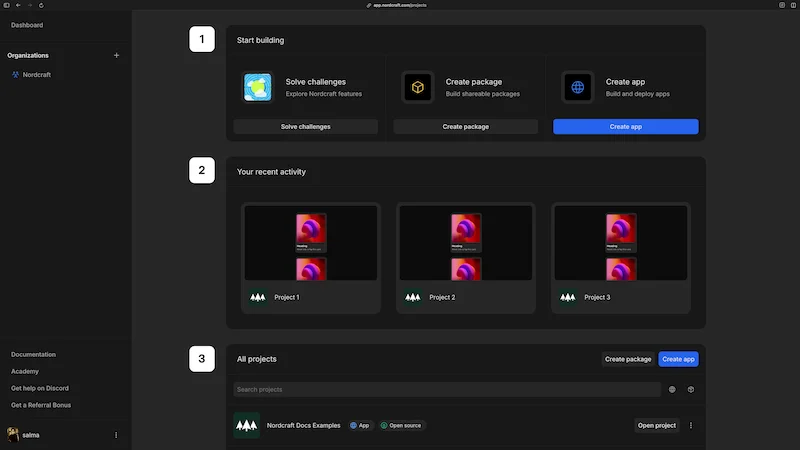
The dashboard includes two key sections:
- 1Recent projects: With a quick action to start a new project or view all projects
- 2Helpful resources: Quick access to video tutorials and example projects
Projects in Nordcraft
A project in Nordcraft can be either a website or a package.
Websites
Websites in Nordcraft are composed of pages and components. Nordcraft is built on standard HTML, CSS and JavaScript. Anything you can build for the web, you can build with Nordcraft.
Learn more about creating a website in Nordcraft.
Packages
Packages are modular, self-contained collections of components or functionality that can be installed in projects. Packages help keep your projects organized by separating reusable elements and logic. Packages are public, allowing other users to install and use them in their own projects.
Learn more about creating a package in Nordcraft.
It is currently not possible to use packages in packages.
Packages in Nordcraft work similar to NPM packages. They can contain pure logic, visual elements or both.
Learn Nordcraft through video tutorials
If you're just getting started with web development in Nordcraft, try working through the Nordcraft Fundamentals video course where you'll get a complete overview of Nordcraft and how to use it through bite-sized videos. If you already have experience with web development and want to try building projects in Nordcraft, try the Learn Nordcraft video series. And if you're already an expert and want to get to grips with how HTML, CSS and JavaScript concepts translate to the Nordcraft editor, check out the short Speed Run videos.
Learn Nordcraft through challenges
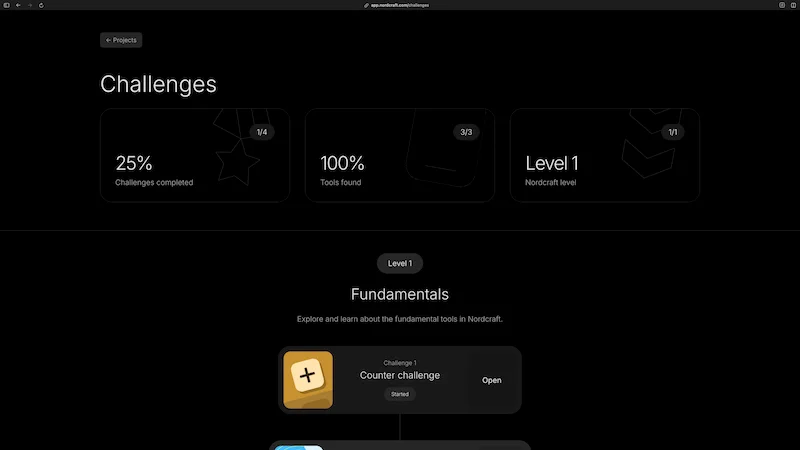
To get hands-on with features of Nordcraft, try solving the challenges available on your dashboard in the Challenges block. These guided exercises will introduce you to key concepts of building websites in Nordcraft, to help you become familiar with the platform.